Try-on

Live virtual try-on on your webcam

Updated · By the AI Face Swap Live team

Quick answer

Open the live studio in Chrome, pick the Try-on tab and choose an outfit, or upload a photo of one. Turn on your camera and press Start. AI Face Swap Live keeps your face, hair and room and changes only your clothes, live, as you move. Switch outfits without stopping, and capture the window in OBS to stream it. You get 60 free seconds to try it.

Leather jacket

Ten outfits to try on live

Pick one of these in the studio, or upload your own photo of an outfit. A front view on a plain background works best, worn or laid flat.
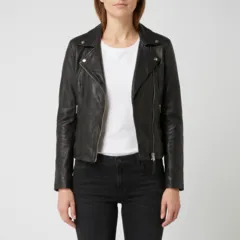
  • Leather jacket for live virtual try-on

    Leather jacket

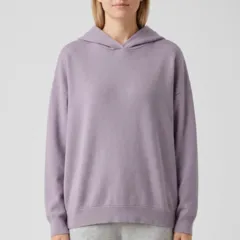
  • Oversized hoodie for live virtual try-on

    Oversized hoodie

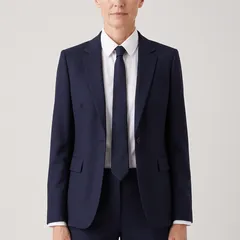
  • Navy suit for live virtual try-on

    Navy suit

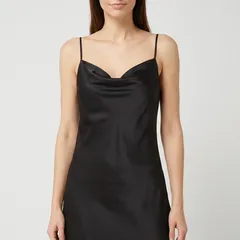
  • Black slip dress for live virtual try-on

    Black slip dress

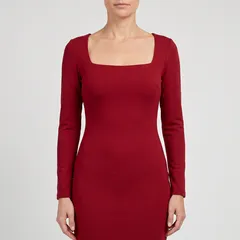
  • Red dress for live virtual try-on

    Red dress

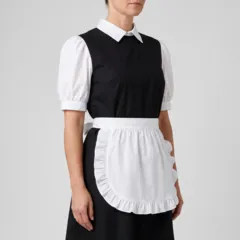
  • Cafe uniform for live virtual try-on

    Cafe uniform

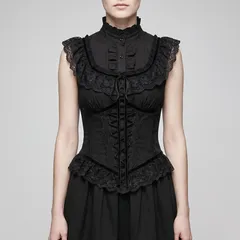
  • Gothic dress for live virtual try-on

    Gothic dress

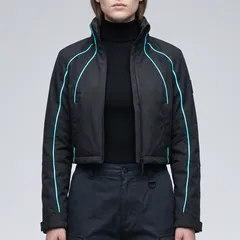
  • Cyberpunk jacket for live virtual try-on

    Cyberpunk jacket

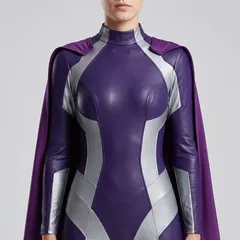
  • Superhero suit for live virtual try-on

    Superhero suit

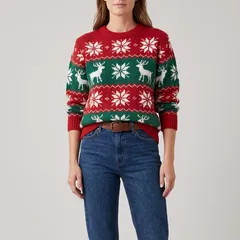
  • Christmas sweater for live virtual try-on

    Christmas sweater

How to try on clothes live on your webcam

  1. 1

    Open the Try-on tab

    In the live studio on the home page, switch from Face swap to Try-on.

  2. 2

    Pick an outfit

    Tap a ready outfit, or upload a clear photo of one outfit, front view, nobody else in the shot.

  3. 3

    Start your camera

    Turn on your webcam and press Start. Stand back far enough that your upper body is in the frame.

  4. 4

    Switch looks on the fly

    Tap another outfit and the clothes change while you stay on camera.

What people use live try-on for

  • A costume segment on stream: superhero suit for a raid, Christmas sweater for the holiday stream.
  • Outfit of the day content without changing clothes between takes.
  • Showing a style or color idea to friends on a call before you buy. It shows the look, not the size, so check the size chart too.
  • Mixing with face swap: try-on keeps your own face, face swap changes it. See both in the examples.

Tips for a clean try-on

  • Keep your shoulders and chest in frame. The outfit follows the body it can see.
  • Even, front light helps the new fabric match your room.
  • Plain outfit photos work better than busy catalog shots with props.
  • Long coats and dresses show best when you stand further back.

What live try-on costs

Try-on costs the same as face swap: 1 credit per second, counted only while the new outfit is on screen. See plans and packs.

Live virtual try-on FAQ

What does live try-on change?

Only your clothes. Your face, hair, room and movements stay yours, and the outfit from the reference photo follows you as you move. Use a photo of one outfit on a plain background, front view, either worn or laid flat.

Is live try-on accurate enough to check sizing before I buy?

No. It shows how a style and color look on you on camera, not how a size fits. Use it for streams, content and fun, and check the brand size chart before you buy clothes.

Can I turn my webcam into anime or change my outfit?

Yes. Besides face swap there are two effects. Restyle redraws your whole video in an art style such as anime, 3D animation, claymation, comic book, pixel art or a Halloween zombie look. Try-on keeps your face and changes only your clothes, from a leather jacket to a superhero suit. Both are priced the same as face swap, 1 credit per second.

Can I switch faces in the middle of a stream?

Yes. Pick a new portrait and the swap changes over without stopping your camera or your OBS scene. Chat sees one face turn into another.

How do I add the face swap to my stream?

Start a live swap in its own browser window. In OBS Studio, add a Window Capture source (macOS Screen Capture on a Mac) for that window and crop it to the swapped video. Then stream from OBS as usual. Our OBS guide walks through it in 5 steps.

How much does it cost?

Plans start at $11.99 a month billed every 3 months, or $14.99 month to month, for 1,500 credits (about 25 minutes) each month. One-time packs start at $49.99 for 6,000 credits and never expire. 1 credit is 1 second of live face swap, and new accounts get 60 free credits.

All questions, by topic

Live face swap is open.

Sign up and get 60 free seconds. No install, no GPU.

Try it free