Halloween looks you can go live in
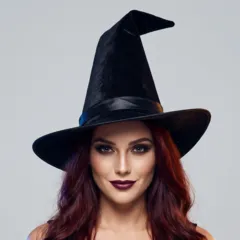
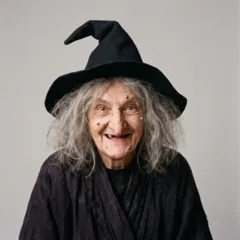
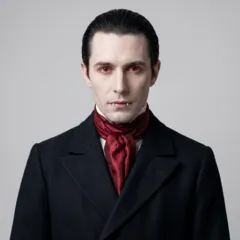
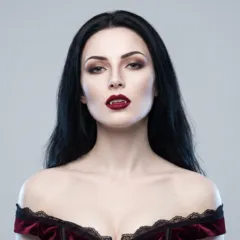
Every look below is in the studio gallery, all year round. Face swap changes who you are and Restyle turns the whole picture into a zombie film. Click one to open the studio.
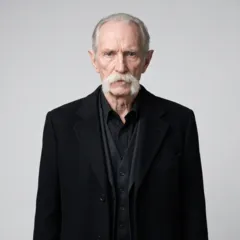
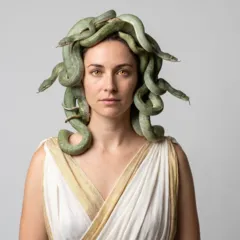
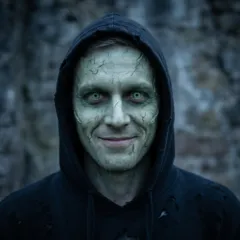




Halloween stream ideas with a face swap
Horror game, horror face
Play a scary game as a vampire or a zombie. Every jump scare lands on a face chat did not expect.
Costume vote
Let chat vote between the witch, the vampire and Medusa, then switch live to the winner without going offline.
Spooky story night
Read a ghost story as the storybook witch and switch to Dracula for the twist at the end.
Costume reveal
Start the stream as yourself and reveal your Halloween look on a subscriber goal or a raid.
How to use a live vampire or witch filter
- 1
Pick a costume
Open the studio, choose Face swap and pick the witch, the vampire or Medusa, or choose Restyle for the zombie look.
- 2
Turn on your webcam
Allow the camera in Chrome or Edge. Even, front light keeps the costume steady on your face.
- 3
Go live
Press Start, then add the browser window to OBS as a Window Capture and stream as usual.
New to OBS? The OBS face swap guide walks through the capture, cropping and sound sync.
What a Halloween stream costs
New accounts get 60 free seconds to try the costumes. After that, 1 credit is 1 second, counted only while the swapped video is on screen. A 30 minute costume segment uses 1800 credits. Two of those a month fit the Pro plan (75 minutes a month). See all plans.
Scary, not shady
Go live as a monster or a made-up character, never as a real streamer, a celebrity or anyone in your chat. Keep it free of sexual content, and if someone asks, tell them it is a filter. We check every uploaded portrait before a session starts.