Best Live Face Swap Tools in 2026: Browser, Desktop and Free
We compared live face swap tools for streams and calls: browser apps, desktop apps and free local software. Prices, setup and who each one suits.
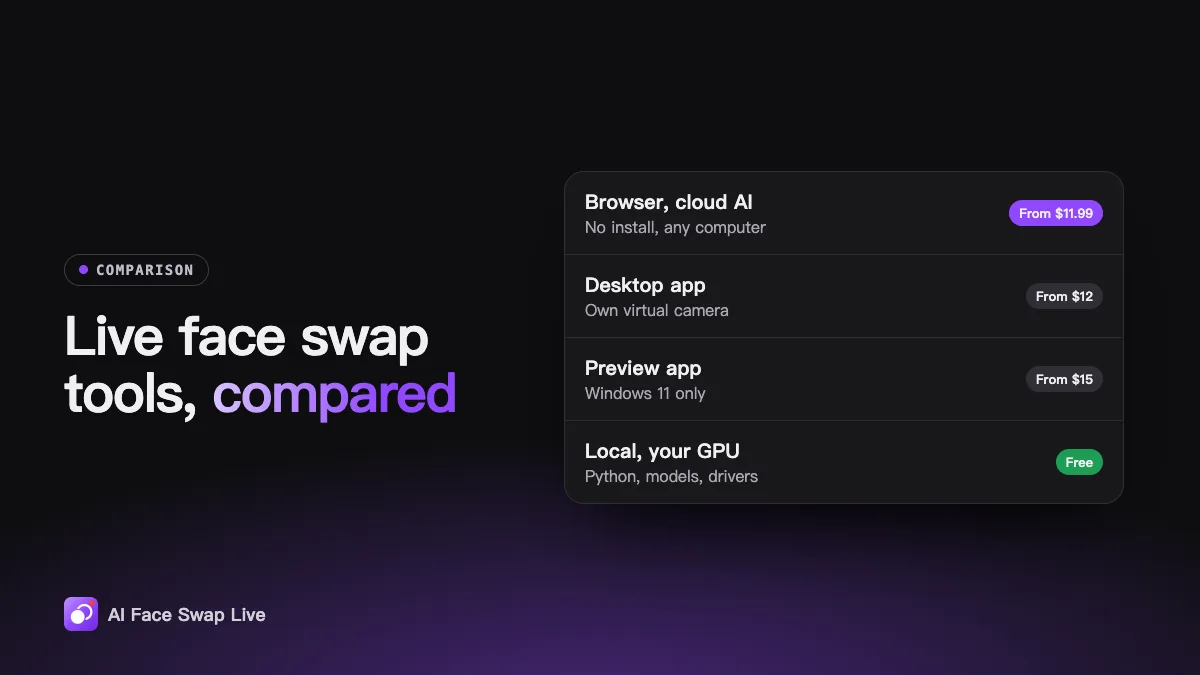
The best live face swap tool depends on one question: do you want to install something or not. Browser tools run the AI in the cloud, so they work on any laptop, Mac included, and charge by the second. Free local tools like Deep-Live-Cam cost nothing but need a strong NVIDIA graphics card. Desktop apps sit in between and add a virtual camera for Zoom.
We make AI Face Swap Live, one of the tools below, so read this with that in mind. We checked every price on November 11 and 12, 2026. Prices change, so confirm on each site before you pay.
Quick comparison
| Tool | How it runs | Install | Price (monthly plan) | Best for |
|---|---|---|---|---|
| AI Face Swap Live | Browser, cloud AI | None | From $14.99 for 25 min, or $11.99 a month billed every 3 months | Streamers using OBS |
| LiveFaceSwap AI (livefaceswap.ai) | Browser and desktop app, cloud AI | Optional app for Windows and Apple silicon Macs | From $15 for about 18 min, or $12 a month billed every 3 months | Video calls without OBS |
| LiveSwap.ai | Browser and Windows preview app, cloud AI | Optional Windows 11 app | From $15 for about 20 min (payments not open yet on Nov 12) | Trying many preset characters |
| Deep-Live-Cam | Your own computer | Python, models, GPU drivers | Free and open source | People with an NVIDIA GPU who like tinkering |
AI Face Swap Live
Our studio runs in Chrome or Edge. Pick one of the ready-made faces or upload your own portrait, start your camera, and the swapped video plays in the page. Streamers capture that window in OBS; for Zoom or Discord you use the free OBS Virtual Camera. We bill only once your new face appears on screen, so connecting does not cost anything. New accounts get 60 free seconds. Live swapping opens to everyone soon; the prices above are the ones we will charge.
What we do not have: a desktop app with its own virtual camera, and a large preset library. If you need to join Zoom without touching OBS, the next two tools do that today.
LiveFaceSwap AI
The most complete product in this group. It has a browser version, a desktop app for Windows and Apple silicon Macs that installs its own virtual camera, and guides for OBS and Zoom. Plans cost $15, $29 and $69 a month, or $12, $23.20 and $55.20 a month billed every 3 months, with credits that carry over for a month. Its browser version does not record; recording lives in the desktop app.
LiveSwap.ai
A newer site with a big reference library (157 characters for face swap when we checked) plus try-on and restyle effects. Plan prices match LiveFaceSwap AI, and it adds a second, pricier model. Its desktop app is a Windows 11 preview that is not code-signed yet, so Windows may show a warning when you install it. Payments were not open yet when we checked.
Deep-Live-Cam
Free, open source and private, since nothing leaves your computer. The catch is hardware and setup: it is built around NVIDIA cards, and on Apple silicon many people end up on the CPU at a few frames per second (see issue 1373 and issue 1289). Our Deep-Live-Cam alternative page compares the two approaches in detail.
How to choose
- You stream with OBS on any computer: a browser tool is the fastest start. Nothing to install, and OBS already captures windows.
- You mostly want Zoom, Teams or Meet without OBS: pick a tool with a desktop app and its own virtual camera.
- You have a recent NVIDIA card and time to set things up: Deep-Live-Cam costs nothing to run.
- You stream for many hours a day: check the cost per hour. Cloud tools charge by the second, so a long daily stream adds up. A VTuber model can be cheaper for full-length streams.
FAQ
What is the cheapest live face swap?
Deep-Live-Cam is free if you already own a capable NVIDIA graphics card. Among cloud tools, compare the cost per minute on each plan, not just the monthly price, because the minutes included differ.
Do browser face swap tools work on a Mac?
Yes. The AI runs in the cloud, so an M1 MacBook Air gets the same result as a gaming PC. You need Chrome or Edge and a steady internet connection.
Which live face swap tools work with OBS?
All of them. Browser tools are captured with OBS Window Capture; desktop tools offer a virtual camera you can add in OBS as a video source.
Try AI Face Swap Live
Pick a face, turn on your webcam and go live as someone else. New accounts get 60 free seconds.
Open live face swap